
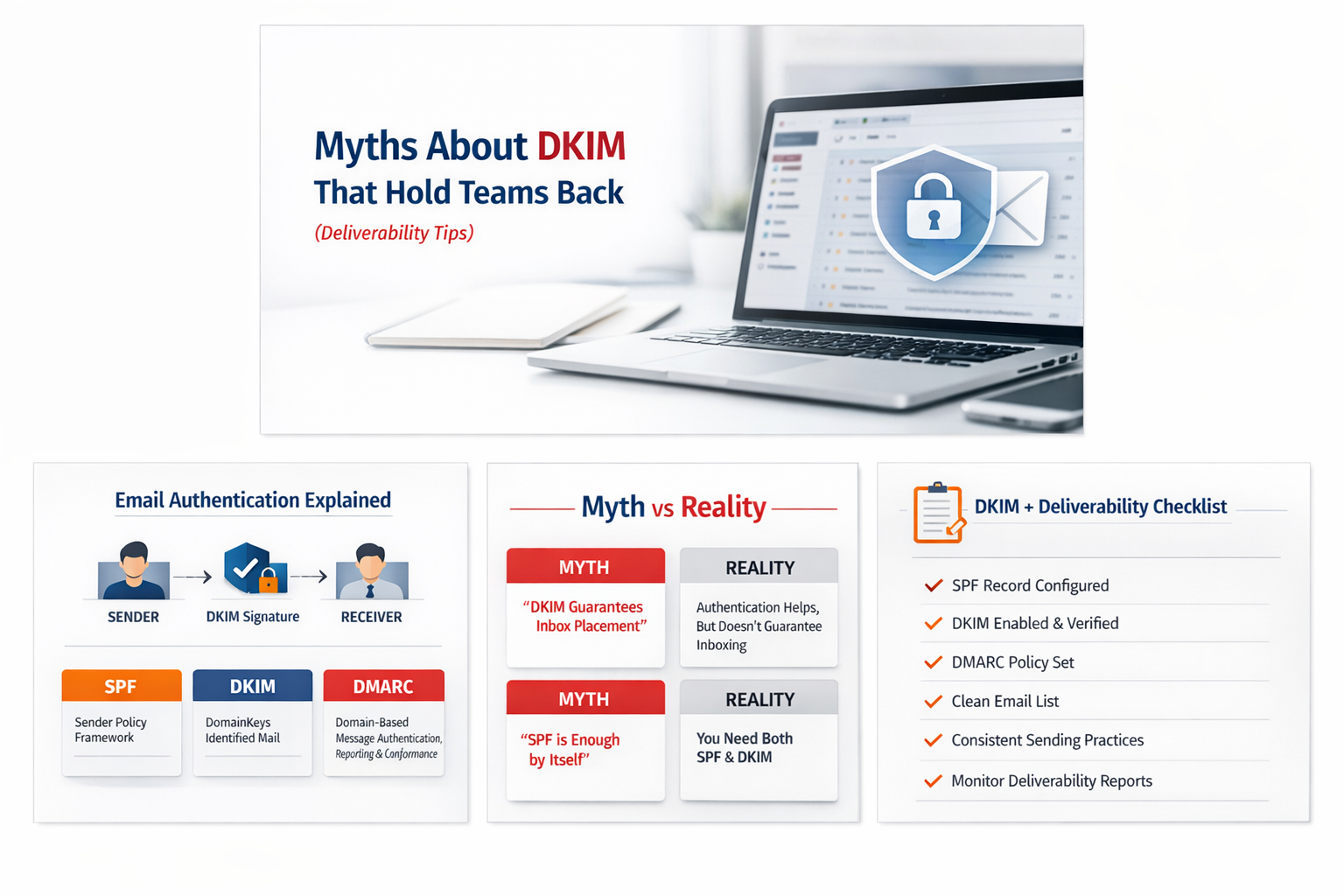
Email deliverability is rarely random. When messages land in spam, get delayed, or fail altogether, the root cause is usually authentication, reputation, or sending practices—not luck.
DKIM (DomainKeys Identified Mail) is one of the most powerful—and most misunderstood—tools in email authentication. Teams often “set it once” or avoid it entirely because of myths that sound reasonable but are technically wrong.
This article breaks down common DKIM myths that quietly damage deliverability, plus practical tips you can implement immediately.
What DKIM Actually Does (in one minute)
DKIM adds a cryptographic signature to outbound email. Receiving mail servers (such as Gmail, Microsoft, and Yahoo) use that signature to verify:
- The email was authorized by the sending domain (it is not forged in transit).
- The message content was not altered after it left your server.
DKIM works alongside SPF (which validates sending IPs) and DMARC (which tells receivers what to do if SPF/DKIM don’t align).
Myth 1: “DKIM guarantees inbox placement.”
Reality: DKIM helps prove authenticity—it does not guarantee inboxing.
Deliverability tip(s):
- Treat DKIM as the foundation, not the finish line. Authentication first, reputation second, content and hygiene always.
Myth 2: “If SPF is set, DKIM is optional.”
Reality: SPF alone is not enough for modern deliverability.
Deliverability tip(s):
- Use SPF + DKIM together, then add DMARC to enforce alignment and gain reporting.
Myth 3: “DKIM is only for big companies.”
Reality: Smaller senders often need DKIM more than enterprises.
Deliverability tip(s):
- If you are a startup, SME, school, NGO, or e-commerce business, DKIM is a fast trust signal—especially when combined with consistent sending practices.
Myth 4: “Any DKIM record is fine—length doesn’t matter.”
Reality: Key strength and configuration details matter.
Deliverability tip(s):
- Use 2048-bit DKIM when possible, but prioritize stability: publish the record correctly, ensure DNS doesn’t truncate it, and avoid unnecessary changes.
Myth 5: “Once DKIM is enabled, you can forget about it.”
Reality: DKIM can break silently (DNS changes, migrations, selector issues, or mixed sending routes).
Deliverability tip(s):
- Run a monthly check: confirm DKIM passes for key mailboxes, document selectors, and verify after any DNS/email platform change.
Myth 6: “DKIM alone prevents spoofing.”
Reality: DKIM reduces spoofing risk, but DMARC is what enforces protection at scale.
Deliverability tip(s):
- Enable DMARC and move from monitor-only to enforcement (quarantine/reject) once you confirm alignment.
Myth 7: “Forwarding doesn’t affect DKIM.”
Reality: Forwarding can break SPF, and mailing list modifications can invalidate DKIM signatures.
Deliverability tip(s):
- This is why alignment matters. Consider ARC where forwarding/lists are common.
Myth 8: “If DKIM fails sometimes, it’s not worth doing.”
Reality: Inconsistent DKIM usually points to multiple sending paths—some signing, some not.
Deliverability tip(s):
- Inventory all sending sources (webmail, CRMs, website forms, billing systems) and ensure each path signs DKIM or uses a verified subdomain.
Myth 9: “DKIM setup is too technical; it’s risky.”
Reality: The risk is unplanned DNS changes—not DKIM itself.
Deliverability tip(s):
- Use change control: document records, set reasonable TTL, deploy during low-traffic windows, and test before sending volume.
Myth 10: “DKIM will fix a bad sender reputation.”
Reality: DKIM won’t rescue poor practices (purchased lists, high complaints, sudden spikes).
Deliverability tip(s):
- Warm up new domains gradually, keep lists clean, provide clear unsubscribe options, and encourage replies to build positive signals.
A Practical DKIM + Deliverability Checklist
Use this as a quick internal SOP:
Authentication
- SPF published and includes all sending sources.
- DKIM enabled and passing for all senders.
- DMARC published (p=none initially, then move to quarantine/reject).
- Alignment verified (From domain aligns with DKIM/SPF domains).
Sending Practices
- Consistent volume and frequency.
- Clean list (bounces removed; do not use purchased lists).
- Clear unsubscribe for marketing emails.
- Avoid spam-trigger patterns and misleading subject lines.
Monitoring
- Monthly deliverability spot-check (Gmail/Outlook/Yahoo).
- DMARC reports reviewed at least monthly.
- Post-migration DNS verification (SPF/DKIM/DMARC).
Where DUHosting Can Help
If you are using business email hosting or sending from apps (website forms, CRMs, billing systems), common fixes we implement include:
- Correct DKIM selector publishing and verification.
- SPF optimization (including third-party senders).
- DMARC rollout (monitor → enforce) with reporting.
- Troubleshooting intermittent DKIM failures caused by mixed sending routes.